Why AV Integrators Use Screen Size Calculators Before Every Project
In the competitive landscape of professional AV integration, success depends on precision, efficiency, and client satisfaction. Every AV project – whether a corporate boardroom, educational classroom, worship facility, or luxury home theater – begins with a fundamental question: What size should the display be? This seemingly simple question has complex answers that can make or break an installation. This is why experienced AV integrators never start projects without first consulting professional screen size calculators and monitor size calculators to establish scientifically-backed display dimensions.
The simple answer to why AV integrators use screen size calculators before every project: these tools eliminate costly guesswork by providing AVIXA-compliant recommendations that balance viewing comfort, content readability, budget constraints, and technical feasibility. Rather than relying on rules of thumb or personal experience that may not apply to specific environments, professional calculators deliver data-driven specifications that withstand client scrutiny, meet industry standards, and ensure installation success.
Understanding the importance of choosing the best monitor size calculator goes beyond basic convenience. Generic consumer tools produce oversimplified estimates that ignore critical factors like multi-row seating analysis, content type requirements, resolution optimization, and commercial viewing standards. Professional-grade platforms like XTEN-AV Screen Size Calculator incorporate AVIXA DISCAS standards, purpose-based sizing modes, and integrated AV workflows that transform calculation from isolated tasks into comprehensive design processes. For AV integrators managing tight deadlines, competitive bids, and demanding clients, the difference between amateur tools and professional calculators directly impacts profitability and reputation.
This article explores the compelling reasons why successful AV integration firms make screen size calculators mandatory first steps in every project workflow, examines the critical features that distinguish professional tools from consumer alternatives, and demonstrates how modern calculation platforms accelerate design while improving accuracy and client satisfaction.
Key Takeaways
Screen size calculators prevent costly specification errors that lead to change orders, client dissatisfaction, and reduced profitability
AVIXA DISCAS standards provide defensible, professional-grade sizing methodology that withstands client scrutiny and liability concerns
Proper display sizing must occur before equipment selection to ensure designs prioritize viewing experience over equipment convenience
Professional calculators analyze multi-row seating, content types, resolution, and viewing purposes that consumer tools ignore
Incorrect screen sizing causes eye strain, neck discomfort, content illegibility, and failed installations requiring expensive remediation
Integrated platforms like XTEN-AV combine calculation with CAD generation, proposal documentation, and product specification in unified workflows
Time savings from automated calculations enable AV firms to quote more projects and respond faster to RFPs
Screen size documentation provides professional credibility in client presentations and competitive proposal situations
AI-powered calculators emerging in 2026 add predictive recommendations, room scanning, and automated compliance verification
Standardized calculation processes improve consistency across project teams and reduce errors from individual interpretation
Future-proofing through resolution-aware sizing ensures installations accommodate technology evolution without reconstruction
ROI from professional tools manifests through faster design cycles, reduced site visits, fewer change orders, and improved win rates

What Is a Screen Size Calculator?
A screen size calculator is a specialized professional tool that determines optimal display dimensions for specific viewing environments based on audience requirements, room geometry, content characteristics, and industry standards. Unlike simple dimension converters or diagonal measurement tools, professional screen size calculators perform sophisticated analysis incorporating human visual perception, viewing distance relationships, seating configurations, and application-specific requirements.
Core Functionality
At its foundation, a screen size calculator answers the critical design question: "What display dimensions will provide optimal viewing experience for this specific application?" This determination requires analyzing:
Primary viewing distance – The distance from main audience position to display surface
Maximum viewing distance – Rear-row seating ensuring content visibility
Viewing angles – Horizontal and vertical sight line distribution across audience
Content type – Entertainment, presentations, data analysis, or collaborative work
Display resolution – Pixel density affecting viewing distance thresholds
Room constraints – Physical boundaries limiting feasible screen dimensions
Industry standards – AVIXA DISCAS, SMPTE, THX, or other professional guidelines
Professional vs. Consumer Calculators
The distinction between professional AV calculators and consumer tools is fundamental:
Consumer calculators typically:
Use oversimplified formulas (viewing distance × constant)
Focus on residential TV sizing for living rooms
Ignore multi-row seating and commercial requirements
Lack industry standards compliance verification
Provide isolated recommendations without workflow integration
Professional calculators like XTEN-AV:
Implement AVIXA DISCAS standards for commercial applications
Analyze complex multi-row seating configurations
Offer purpose-based modes for different content types
Integrate with CAD, proposal, and product database systems
Provide documentation supporting client presentations
Technical Methodology
Professional screen size calculators employ scientifically-derived formulas based on:
Visual acuity studies – Research establishing human ability to perceive detail at various distances
Viewing angle recommendations – Industry consensus on optimal immersion versus comfort balance
Character height requirements – Minimum text size ensuring readability for different applications
Resolution-distance relationships – Pixel density thresholds preventing visible pixelation
Standards compliance algorithms – Implementing AVIXA, SMPTE, and other guideline mathematics
This scientific foundation distinguishes professional tools from arbitrary estimation methods.
Why Screen Size Matters in AV Projects
Screen sizing represents the most critical decision in AV system design because it fundamentally determines whether the installation achieves its intended purpose. Undersized displays frustrate viewers who cannot read content, while oversized displays cause physical discomfort and visual fatigue. Understanding why screen size matters helps explain why professional AV integrators never skip this calculation step.
Direct Impact on User Experience
Display dimensions directly affect:
Content readability – Text, graphics, and details must remain visible from all seating positions
Visual comfort – Appropriate sizing prevents neck strain from excessive head movement
Immersion quality – Entertainment applications benefit from filling peripheral vision
Fatigue reduction – Properly sized displays allow extended viewing without eye strain
Professional perception – Well-sized installations convey competence and attention to detail
When screen sizing fails, no amount of high-resolution content, premium equipment, or expert installation can salvage the viewing experience.
Financial and Liability Implications
Incorrect screen sizing creates serious business consequences:
Change order costs – Replacing improperly sized displays after installation multiplies equipment costs
Installation rework – Modifying mounting infrastructure and cable routing adds labor expenses
Client dissatisfaction – Failed installations damage reputation and reduce referral business
Warranty disputes – Disagreements about whether sizing met specifications create legal exposure
Lost competitive bids – Proposals lacking professional sizing documentation lose to better-prepared competitors
AVIXA-certified integrators recognize that screen size calculators provide liability protection through documented, standards-based decision-making.
Technical System Integration
Screen dimensions cascade through entire AV system design:
Projector selection – Screen size determines required throw distance and projector category
Brightness requirements – Larger screens demand higher lumens for adequate image brightness
Resolution specifications – Screen size and viewing distance determine minimum resolution needs
Mounting infrastructure – Display dimensions affect structural support and installation complexity
Cable routing – Screen placement influences signal path length and cable specifications
Acoustic design – Display size and position interact with sound system placement
Starting with improper screen sizing creates cascading specification errors throughout the system.
Standards Compliance and Professional Credibility
Commercial AV installations increasingly require documented compliance with:
AVIXA standards – Industry-recognized guidelines for professional installations
Accessibility requirements – ADA and similar regulations affecting display positioning
Building codes – Fire safety, electrical, and structural compliance
Corporate standards – Enterprise clients with standardized design specifications
Educational guidelines – Institutional requirements for classroom technology
Professional screen size calculators generate documentation demonstrating standards adherence, providing competitive advantages in regulated environments.
Future-Proofing and Technology Evolution
Proper screen sizing considers technology trajectories:
Resolution upgrades – Sizing for 4K or 8K even when current content is Full HD
Content format changes – Accommodating evolving aspect ratios and delivery methods
Usage pattern shifts – Designing for multiple use cases as needs evolve
Technology replacement – Ensuring future equipment swaps don't require construction modifications
Scalability planning – Leaving room for capacity expansion or multi-display additions
Forward-looking sizing protects client investments and extends installation longevity.
Why AV Integrators Use Screen Size Calculators Before Every Project
Experienced AV integration professionals have learned through years of practice that screen size calculators are not optional luxuries but essential project prerequisites. The reasons extend far beyond simple convenience:
1. Eliminating Costly Specification Errors
Manual calculation mistakes or experience-based guesswork frequently produce errors that manifest as:
Undersized displays requiring expensive upgrades after client complaints
Oversized displays that won't physically fit installation environments
Incompatible projector specifications when throw distance doesn't match screen size
Failed readability when rear viewers cannot perceive content details
Professional calculators eliminate these errors through systematic, formula-based analysis that accounts for all relevant variables simultaneously.
2. Meeting Professional Standards and Compliance
AVIXA DISCAS standards provide industry-recognized guidelines that many corporate clients, educational institutions, and government agencies now require. Screen size calculators that implement these standards enable:
Documented compliance – Calculation reports demonstrating standards adherence
Defensible decisions – Professional methodology supporting design choices
Competitive differentiation – Proposals backed by industry standards versus competitors' guesswork
Liability protection – Standards-based designs reducing exposure if clients challenge recommendations
XTEN-AV's AVIXA compliance specifically addresses this professional requirement.
3. Accelerating Design and Proposal Workflows
Time pressure affects every AV integration firm. Screen size calculators dramatically accelerate:
Initial feasibility analysis – Quickly determining if client requirements fit available spaces
Concept development – Rapidly generating multiple configuration options
RFP responses – Producing specifications under tight bidding deadlines
Client presentations – Creating professional documentation supporting recommendations
Value engineering – Analyzing cost-performance tradeoffs across screen sizes
Firms using automated calculators report 40-60% faster design cycles compared to manual calculation methods.
4. Enabling Multi-Project Consistency
AV integration companies managing multiple simultaneous projects benefit from:
Standardized methodology – Consistent calculation approach across all designers
Quality control – Reducing variation from individual experience or interpretation
Knowledge transfer – New team members quickly adopting proven processes
Template libraries – Reusing configurations for similar room types
Scalability – Growing project volume without proportional staff increases
Calculation platforms create organizational consistency that manual methods cannot achieve.
5. Supporting Complex Multi-Display Configurations
Modern AV projects increasingly involve:
Video wall arrays – Multiple displays creating unified large-format images
Multi-screen environments – Separate displays for different content streams
Hybrid meeting spaces – Coordinating in-room displays with remote participant screens
Immersive experiences – Surrounding viewers with complementary display surfaces
Professional calculators handle these complex scenarios that overwhelm simple sizing tools.
6. Optimizing Client Budget Utilization
Screen size dramatically affects system cost:
Display prices increase exponentially with size
Projection systems require higher lumens (and cost) for larger screens
Mounting infrastructure becomes more complex for larger/heavier displays
Installation labor increases with display size and complexity
Professional calculators help AV integrators find the optimal size that balances viewing requirements with budget realities, maximizing value rather than defaulting to largest affordable option.
7. Reducing Site Visit Requirements
Accurate pre-design calculations minimize:
Preliminary site surveys – Initial assessments determine feasibility remotely
Design validation trips – Reducing need for in-person verification
Client meetings – Presenting confident recommendations without tentative qualifications
Installation surprises – Preventing "won't fit" discoveries during installation
Travel costs and time saved directly improve project profitability.
8. Generating Professional Documentation
Calculation outputs support critical business functions:
Client presentations – Professional reports explaining sizing methodology
Proposal specifications – Detailed documentation for competitive bids
Installation drawings – Precise dimensions for field technicians
Change order defense – Documented rationale if clients request modifications
Portfolio examples – Showcasing professional approach to prospective clients
Automated documentation from platforms like XTEN-AV eliminates manual report creation.
9. Facilitating Product Specification and Procurement
Integrated calculators streamline equipment selection:
Display recommendations – Immediate product suggestions meeting calculated requirements
Projector filtering – Identifying models with appropriate throw ratios and brightness
Screen material selection – Matching projection screens to application needs
Brand preference – Filtering by Samsung, Sony, LG, NEC, Barco, Panasonic, etc.
Pricing integration – Accessing current costs for budget development
Direct product discovery saves hours in separate specification research.
10. Building Client Confidence and Trust
Professional calculation processes convey competence:
Data-driven recommendations – Specifications based on science versus opinion
Standards references – Citing industry authorities like AVIXA
Comprehensive analysis – Demonstrating consideration of all relevant factors
Documentation quality – Professional reports matching corporate standards
Transparent methodology – Explaining reasoning behind recommendations
Clients recognize and value professional rigor in competitive proposal situations.
Key Features AV Integrators Look for in a Screen Size Calculator
Not all screen size calculators deliver equal value to professional AV integrators. Discerning professionals prioritize specific capabilities that directly impact project success:
1. AVIXA DISCAS Standards Implementation
Industry standards compliance distinguishes professional tools from consumer alternatives. AVIXA's DISCAS (Display Image Size for 2D Content in Audiovisual Systems) provides scientifically-validated guidelines for screen sizing based on:
Viewing purpose categories:
General Viewing – Entertainment and passive content
Basic Decision Making – Collaborative work and standard presentations
Analytical Decision Making – Detailed data analysis and complex information
Character height requirements – Minimum text size ensuring readability
Viewing distance formulas – Mathematical relationships between distance and optimal screen size
Resolution considerations – Adjustments for display pixel density
XTEN-AV specifically implements complete AVIXA DISCAS methodology, ensuring recommendations meet professional standards rather than arbitrary estimates.
2. Multi-Row Seating Analysis Capabilities
Commercial environments rarely feature single viewing positions. Professional calculators must analyze:
Primary seating row – Front-row viewing optimization
Secondary rows – Middle seating visibility verification
Rear seating – Maximum viewing distance compliance
Vertical sight lines – Tiered seating and balcony considerations
Viewing angle distribution – Side seating off-axis viewing
Compromise optimization – Balancing competing requirements across all positions
Generic calculators optimizing only for single viewing distances produce installations where some audience members suffer poor viewing experiences.
3. Purpose-Based Sizing Modes
Different applications demand different sizing criteria:
Entertainment venues prioritize immersion over readability
Conference rooms balance collaboration with presentation visibility
Classrooms emphasize rear-row text readability
Control rooms require fine detail perception for monitoring
Digital signage optimizes for passing traffic visibility
XTEN-AV's purpose-based modes adjust calculations appropriately, while competitors use one-size-fits-all formulas.
4. Resolution-Aware Calculations
Display resolution fundamentally affects optimal screen sizing:
Full HD (1920×1080) – Traditional viewing distance relationships
4K UHD (3840×2160) – Enables 30-40% closer viewing or larger screens
8K (7680×4320) – Further extends optimal size-distance relationships
Custom resolutions – Ultra-wide, portrait, or specialty formats
Calculators ignoring resolution produce recommendations that fail to leverage modern display capabilities or specify inadequate resolution for screen sizes.
5. Room Geometry and Constraint Analysis
Physical environments impose real limitations. Professional tools analyze:
Wall dimensions – Available mounting space for screens
Ceiling height – Vertical positioning constraints
Viewing distance limits – Room depth determining maximum seating distance
Architectural obstructions – Columns, beams, lighting fixtures
Door clearances – Ensuring equipment delivery and installation access
Furniture placement – Coordinating with existing or planned furnishings
XTEN-AV's room-based analysis prevents recommending screens that won't physically fit installation environments.
6. Integrated Product Database and Recommendations
Calculation-to-specification workflow demands:
Immediate product suggestions – Displays and projectors meeting calculated requirements
Current specifications – Up-to-date technical data from manufacturers
Availability information – In-stock status and lead times
Pricing data – Current costs for budget development
Brand filtering – Alignment with client or integrator preferences
Alternative options – Multiple choices at different price points
Calculators stopping at dimensions force integrators to manually research compatible products separately.
7. Workflow Integration and Documentation Generation
Professional platforms connect with broader AV design ecosystems:
CAD integration – Automatic generation of installation drawings (X-DRAW)
Proposal automation – Creating client documentation (x.doc)
Project management – Tracking calculations across multiple projects
Team collaboration – Sharing designs among design staff
Client presentation – Professional reports and visualizations
XTEN-AV's ecosystem integration transforms standalone calculations into comprehensive workflow components.
8. Throw Distance and Brightness Coordination
Screen sizing affects other system parameters:
Projector throw distance – Screen size determines required projector positioning
Brightness requirements – Larger screens need higher lumens
Ambient light analysis – Screen size affects visibility in various lighting conditions
Screen gain calculations – Material selection based on size and environment
Integrated platforms coordinate these interdependent calculations rather than forcing manual cross-checking.
9. Multi-Display and Video Wall Support
Complex installations require:
Array calculations – Determining individual display sizes in video walls
Bezel compensation – Accounting for frame gaps in multi-display arrays
Content scaling – Ensuring resolution adequacy across combined surfaces
Viewing distance optimization – Balancing detail perception with overall image comprehension
Advanced calculators handle scenarios beyond single-screen applications.
10. Accessibility and Regulatory Compliance
Commercial projects increasingly require:
ADA compliance verification – Ensuring accessibility standards adherence
Building code checking – Fire safety and electrical requirements
Corporate standards – Client-specific design guidelines
Educational regulations – Institutional technology requirements
Professional calculators document compliance rather than leaving verification to manual processes.
Industries That Depend on Screen Size Calculators
Screen size calculators serve diverse industries with unique AV requirements:
Corporate and Enterprise
Business environments including:
Executive boardrooms – High-stakes decision-making spaces requiring perfect visibility
Conference rooms – Collaborative work environments with varied content types
Training facilities – Educational spaces ensuring rear-row comprehension
Lobbies and reception – Corporate branding and visitor information displays
Cafeterias and break rooms – Employee communication and entertainment
Trading floors – Multi-display environments for data monitoring
Screen sizing in corporate environments must balance professional aesthetics with functional requirements.
Education
Academic institutions requiring:
Lecture halls – Large-capacity spaces with extreme viewing distances
Standard classrooms – Ensuring rear student visibility
Computer labs – Display sizing for instructional demonstrations
Libraries – Public access displays and presentation spaces
Auditoriums – Multi-purpose performance and presentation venues
Distance learning studios – Camera-optimized display positioning
Educational specifications emphasize text readability and long viewing distances.
Healthcare
Medical facilities including:
Operating rooms – Medical imaging displays for surgical procedures
Conference rooms – Medical education and consultation spaces
Patient rooms – Entertainment and information displays
Waiting areas – Public information and wayfinding
Telehealth facilities – Remote consultation environments
Healthcare applications demand precise sizing for critical information visibility.
Hospitality
Hotels and venues featuring:
Ballrooms and event spaces – Scalable display systems for varied events
Meeting rooms – Multi-purpose business and social functions
Lobbies – Guest information and brand messaging
Restaurants and bars – Entertainment displays
Fitness centers – Workout area displays
Guest rooms – In-room entertainment optimization
Hospitality environments balance functional requirements with guest experience quality.
Worship Facilities
Religious institutions needing:
Main sanctuaries – Large spaces with extended viewing distances
Classrooms – Educational programming spaces
Fellowship halls – Multi-purpose community gathering areas
Broadcast studios – Streaming and recording production
Worship applications often feature extreme viewing distances and diverse age ranges demanding careful screen sizing.
Government and Military
Public sector facilities including:
Command and control centers – Mission-critical monitoring environments
Courtrooms – Evidence presentation and testimony displays
Emergency operations centers – Multi-display crisis management
Public meeting spaces – City council and commission chambers
Training facilities – Military and first responder education
Government applications require standards documentation and accessibility compliance.
Retail and Commercial
Business environments featuring:
Digital signage – Storefront and in-store advertising
Video walls – Attention-grabbing large-format displays
Wayfinding systems – Navigation and information displays
Interactive kiosks – Customer service and product information
Event spaces – Temporary and permanent promotional installations
Retail applications optimize for passive viewing and varied viewing distances.
Common Problems Caused by Incorrect Screen Sizing
Understanding failures from improper screen sizing illustrates why professional calculators are essential:
Problem 1: Rear-Row Illegibility
Symptom: Viewers in back rows cannot read text or perceive fine details
Cause: Screen sized for front-row viewing without considering maximum viewing distance
Consequence:
Meeting participants unable to follow presentations
Students missing instructional content
Legal compliance issues in courtrooms
Accessibility violations
Prevention: Multi-row analysis in professional calculators like XTEN-AV
Problem 2: Front-Row Neck Strain
Symptom: Close viewers experience physical discomfort from excessive head movement
Cause: Oversized displays requiring excessive vertical or horizontal eye scanning
Consequence:
Physical fatigue during extended viewing
Reduced productivity in collaborative spaces
User complaints and dissatisfaction
Requests for expensive modifications
Prevention: Viewing angle analysis ensuring comfort across all seating positions
Problem 3: Visible Pixelation and Image Quality Issues
Symptom: Viewers perceive individual pixels or image artifacts
Cause: Screen too large for display resolution at viewing distance
Consequence:
Unprofessional appearance in client-facing spaces
Reduced content comprehension
Client dissatisfaction with image quality
Blame directed at integrator competence
Prevention: Resolution-aware calculations matching pixel density to viewing distance
Problem 4: Incompatible Projector Specifications
Symptom: No available projector can achieve recommended screen size in available space
Cause: Screen sized without considering throw distance constraints
Consequence:
Project delays while sourcing alternative equipment
Budget overruns from specialized short-throw projectors
Compromised screen sizes reducing viewing quality
Change orders and client disputes
Prevention: Integrated throw distance verification during screen sizing phase
Problem 5: Insufficient Brightness and Washed-Out Images
Symptom: Image appears dim or lacks contrast, especially in ambient light
Cause: Screen too large for projector brightness capabilities or room lighting conditions
Consequence:
Poor visibility affecting content effectiveness
Requirement for expensive projector upgrades
Lighting restrictions limiting room usability
Client perception of inferior system quality
Prevention: Brightness coordination with screen size and ambient light analysis
Problem 6: Physical Installation Failures
Symptom: Recommended screen won't physically fit installation environment
Cause: Screen sizing without adequate room geometry analysis
Consequence:
Installation delays and schedule disruption
Emergency equipment reordering costs
Structural modifications adding expenses
Damaged client relationships and reputation
Prevention: Room constraint analysis built into professional calculators
Problem 7: Accessibility and Compliance Violations
Symptom: Installation fails ADA or institutional standards inspection
Cause: Screen height, size, or positioning not meeting regulatory requirements
Consequence:
Project rejection requiring remediation
Legal liability and potential fines
Loss of future business with compliance-focused clients
Professional reputation damage
Prevention: Standards-based calculations documenting compliance methodology
Problem 8: Budgetary Overruns and Value Engineering Failures
Symptom: Specified equipment exceeds budget, forcing compromises
Cause: Screen sizing without consideration of cost implications
Consequence:
Reduced profit margins absorbing overages
Compromised specifications reducing quality
Client disputes over value delivery
Competitive disadvantage in future bids
Prevention: Budget-aware recommendations balancing optimal sizing with cost realities
How Modern Screen Size Calculators Improve AV Workflow Efficiency
Contemporary calculation platforms deliver measurable productivity improvements across AV integration workflows:
Workflow Stage 1: Initial Client Consultation
Traditional approach:
Manual rough estimates during initial meetings
Follow-up calculations after site survey
Tentative recommendations pending verification
Modern calculator approach:
Real-time calculations during client meetings
Immediate recommendations with professional backing
Confident specifications reducing follow-up iterations
Time savings: 50-70% reduction in pre-proposal effort
Workflow Stage 2: Proposal Development
Traditional approach:
Manual calculations for each configuration option
Separate product research for compatible equipment
Individual documentation creation for proposals
Modern calculator approach:
Automated scenario comparison across multiple configurations
Integrated product recommendations with specifications
Automatic proposal generation through x.doc integration
Time savings: 40-60% faster proposal development
Workflow Stage 3: Design Documentation
Traditional approach:
Hand-drawn schematics or manual CAD drafting
Separate dimension documentation
Independent throw distance calculations
Modern calculator approach:
Automatic CAD generation via X-DRAW integration
Coordinated documentation across all system components
Integrated calculations for complete system specifications
Time savings: 60-80% reduction in documentation effort
Workflow Stage 4: Client Presentation
Traditional approach:
Explaining methodology verbally
Basic visualizations or mockups
Limited technical documentation
Modern calculator approach:
Professional calculation reports demonstrating rigor
Standards references building credibility
Visual simulations showing proposed installations
Benefit: Improved win rates and reduced client questions
Workflow Stage 5: Equipment Procurement
Traditional approach:
Manual specification sheets
Separate vendor communications
Individual product verification
Modern calculator approach:
Direct product specifications from calculator outputs
Brand filtering aligning with preferences
Immediate availability checking reducing lead time risks
Time savings: 30-50% faster procurement processes
Workflow Stage 6: Installation Coordination
Traditional approach:
Verbal instructions to installation teams
Field measurements and adjustments
Interpretation of design intent
Modern calculator approach:
Precise installation specifications with tolerances
Clear mounting dimensions reducing field confusion
Documentation references for troubleshooting
Benefit: Reduced installation errors and callbacks
Workflow Stage 7: Project Closeout
Traditional approach:
Manual as-built documentation
Separate calculation archiving
Individual project file organization
Modern calculator approach:
Automatic project archiving with all calculations
Template creation for similar future projects
Knowledge base development improving future efficiency
Benefit: Organizational learning and accelerating efficiency gains
Quantifiable ROI Metrics
AV integration firms using professional calculators report:
Design efficiency: 40-60% reduction in design hours per project
Proposal volume: 50-75% increase in quotes generated per month
Win rate improvement: 15-25% higher success in competitive bids
Change order reduction: 60-80% fewer post-installation modifications
Site visit savings: 30-50% fewer preliminary surveys required
Documentation quality: 90%+ client satisfaction with specifications
Team scalability: 2-3× project capacity per designer
These measurable improvements demonstrate clear return on investment from professional calculation tools.
Why XTEN-AV Screen Size Calculator Stands Out for AV Integrators
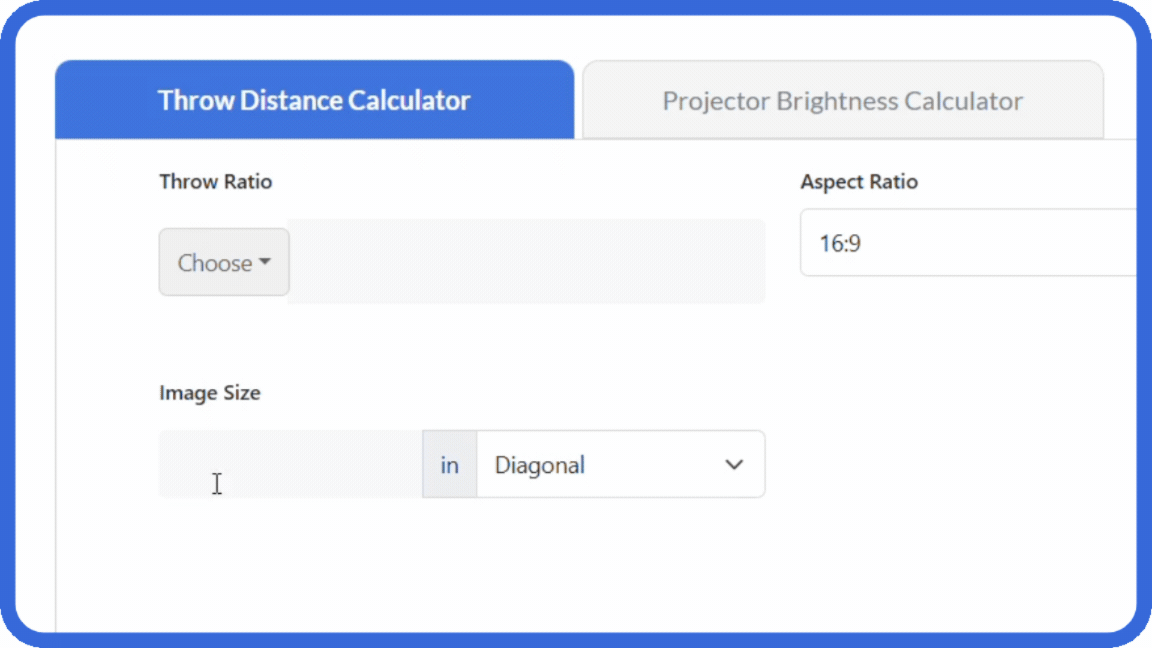
Among professional AV calculation platforms, XTEN-AV Screen Size Calculator delivers distinctive advantages specifically valuable to commercial integrators:
Comprehensive AVIXA Standards Implementation
Unlike competitors offering simplified approximations, XTEN-AV provides complete AVIXA DISCAS standards implementation:
Full purpose-based categorization – Distinct calculations for General Viewing, Basic Decision Making, and Analytical Decision Making
Character height formulas – Precise text readability calculations for presentation content
Viewing distance relationships – Industry-validated mathematical models
Documentation support – Calculation reports citing standards compliance
This professional-grade methodology differentiates XTEN-AV from consumer-focused alternatives, providing AV integrators with defensible, industry-recognized sizing rationale.
Purpose-Built AV Integration Workflow
XTEN-AV addresses real-world commercial AV requirements:
Conference room optimization – Balancing collaboration and presentation needs
Classroom designs – Ensuring rear-student visibility compliance
Digital signage – Traffic pattern and viewing distance analysis
Home theater – Cinematic experience optimization
Corporate projects – Multi-room standardization support
Rather than generic TV sizing, XTEN-AV considers professional installation requirements including mounting constraints, cable routing, and maintenance access.
Intelligent Multi-Variable Room Analysis
XTEN-AV performs comprehensive environmental analysis:
Room dimensions – Length, width, ceiling height coordination
Viewing distances – Multi-row seating distribution
Room orientation – Window placement and ambient light sources
Display placement – Front wall, side wall, or custom positioning
Seating configurations – Tiered, flat, or mixed layouts
Source resolution – Content delivery system capabilities
This holistic approach produces dramatically more accurate recommendations than calculators requesting only viewing distance or throw distance.
Integrated Product Discovery Engine
After calculating optimal screen dimensions, XTEN-AV immediately provides:
Matching display products from comprehensive database
Brand filtering options:
Samsung commercial displays
Sony professional monitors
LG business displays
NEC visualization solutions
Barco collaboration systems
Panasonic AV products
Complete specifications – Technical details for proposal development
Pricing information – Budget development support
Availability status – Lead time planning
This seamless transition from calculation to specification eliminates separate product research phases.
Complete AV Ecosystem Integration
XTEN-AV's most powerful differentiator is unified workflow connectivity:
X-DRAW CAD integration – Automatic generation of professional installation drawings with precise dimensions
x.doc proposal automation – Creating client-ready documentation directly from calculation data
Projection brightness calculator – Coordinated lumen requirement analysis
Throw distance calculator – Integrated projector placement calculations
Product databases – Direct access to manufacturer specifications
This ecosystem approach transforms isolated calculations into complete design workflows, delivering exponential efficiency improvements beyond standalone tools.
Resolution-Aware Optimization
XTEN-AV specifically factors display resolution:
Full HD calculations – Traditional viewing distance relationships
4K UHD optimization – Leveraging higher pixel density benefits
Future-ready sizing – Accommodating resolution evolution
Pixel visibility analysis – Preventing pixelation at specified distances
This resolution intelligence ensures recommendations leverage modern display technology capabilities rather than outdated assumptions.
Multi-Display Configuration Support
XTEN-AV handles complex scenarios:
Front wall placement – Primary display positioning
Side wall supplementary – Additional displays for expanded coverage
Video wall arrays – Multi-screen unified displays
Hybrid configurations – Mixed display technologies
Projection mapping – Architectural surface displays
Most competitors limit analysis to single-screen applications.
Free Enterprise-Grade Functionality
Despite offering professional features rivaling expensive specialized software, XTEN-AV provides:
No subscription fees – Free access to full functionality
Unlimited calculations – No usage restrictions or project limits
Complete feature access – No premium tiers hiding advanced capabilities
Regular updates – Continuous improvement without additional costs
This accessibility makes professional tools available to AV firms of all sizes.
Optimized for Professional Productivity
XTEN-AV specifically accelerates AV integrator workflows:
Rapid AV planning – Minutes instead of hours for initial concepts
Client presentations – Professional documentation generation
Proposal development – Automated specification creation
Display selection – Streamlined product identification
Design validation – Quick verification of feasibility
Integration firms report 40-60% time savings versus manual calculation methods.
Continuous Platform Evolution
XTEN-AV maintains competitive advantages through:
Regular database updates – Current product specifications and pricing
Feature enhancements – Responding to integrator feedback
Standards updates – Maintaining compliance with evolving guidelines
Technology support – Adding new display types and capabilities
AI integration roadmap – Upcoming predictive and automation features
This ongoing development ensures the platform remains current as AV technology and industry practices evolve.

Future of AI-Powered Screen Size Calculators in AV Design
Artificial intelligence is revolutionizing AV calculation tools with capabilities emerging throughout 2026 and beyond:
AI-Enhanced Recommendation Engines
Machine learning algorithms now analyze:
Historical project data – Learning from thousands of completed installations
Success patterns – Identifying configurations with highest client satisfaction
Failure modes – Recognizing problematic specifications to avoid
Cost-performance optimization – Balancing quality with budget constraints
Client preference prediction – Suggesting configurations matching similar past clients
XTEN-AV's AI features (rolling out in phases throughout 2026) will leverage collective intelligence from the AV integration community, providing recommendations based on real-world outcomes rather than theoretical ideals.
Automated Room Scanning and Analysis
Computer vision technology enables:
Smartphone LiDAR scanning – Capturing precise room dimensions without manual measurement
Automatic obstruction detection – Identifying structural elements, lighting fixtures, and architectural features
Sight line visualization – Generating 3D models showing viewing angles from all seating positions
AR preview overlays – Augmented reality showing projected screen sizes in actual spaces
Measurement error elimination – Removing human data collection mistakes
By late 2026, AI-powered room scanning will likely become standard in professional AV calculators, with XTEN-AV currently testing these capabilities in beta programs.
Predictive Equipment Recommendations
AI algorithms analyzing:
Performance characteristics – Identifying displays and projectors consistently meeting specifications
Reliability data – Learning which models have better long-term performance records
Installation feedback – Incorporating technician reports about ease of installation
Client satisfaction – Weighting end-user experience in equipment recommendations
Market conditions – Adapting to current pricing, availability, and technology trends
This experience-based intelligence surpasses simple specification matching, recommending equipment based on real-world performance rather than manufacturer claims.
Natural Language Query Interfaces
Conversational AI enabling:
Plain English inputs – "I need a conference room display for 15 people viewing from 12 feet"
Contextual understanding – Interpreting vague descriptions into precise requirements
Interactive refinement – AI asking clarifying questions to optimize recommendations
Voice-based operation – Hands-free calculation during site surveys
Multi-language support – International AV market accessibility
These intuitive interfaces reduce learning curves and accelerate adoption.
Automated Compliance Verification
AI systems checking:
Accessibility standards – ADA and international accessibility requirements
Building codes – Fire safety, electrical, and structural compliance
Industry standards – AVIXA, SMPTE, CEDIA guideline adherence
Corporate specifications – Client-specific design requirements
Energy regulations – Environmental and efficiency mandates
Automated verification prevents compliance failures and reduces liability risks.
Predictive Maintenance and Lifecycle Management
AI-powered platforms tracking:
Equipment aging – Predicting when displays or projectors will require replacement
Technology evolution – Forecasting when current specifications will become obsolete
Total cost of ownership – Factoring maintenance, energy, and replacement costs
Upgrade opportunities – Identifying optimal timing for technology refreshes
Client notification – Proactive outreach about maintenance or improvement needs
This lifecycle intelligence creates ongoing service opportunities for AV integration firms.
Collaborative Multi-User Design Environments
Cloud-based AI platforms enabling:
Real-time collaboration – Multiple designers working simultaneously on projects
Automated conflict resolution – AI detecting and suggesting solutions for design conflicts
Version control – Tracking design iterations and changes
Client interaction – Stakeholder participation in design refinement
Knowledge sharing – Learning from colleague approaches across organization
These collaborative features support distributed teams and improve design quality.
Sustainability and Environmental Optimization
AI systems incorporating:
Energy consumption analysis – Comparing power requirements across equipment options
Carbon footprint calculations – Measuring environmental impact
Lifecycle environmental cost – Including manufacturing, operation, and disposal impacts
Sustainable material preferences – Recommending eco-friendly equipment
Green certification support – Helping achieve LEED and similar standards
As environmental responsibility becomes central to corporate values, AI calculators help integrators align technical designs with sustainability goals.
Frequently Asked Questions
Q: Why can't I just use my experience to estimate screen sizes instead of using calculators?
While experience provides valuable intuition, human estimation consistently produces 15-30% sizing errors that lead to client dissatisfaction and expensive corrections. Screen size calculators implement AVIXA DISCAS standards incorporating scientific research on human visual perception that experience alone cannot replicate. Professional calculators analyze multiple variables simultaneously (viewing distance, resolution, content type, seating layout) while accounting for interactions between factors that intuition misses. Additionally, calculation documentation provides professional credibility and liability protection that verbal estimates lack, especially in competitive proposal situations.
Q: What's the difference between consumer TV calculators and professional AV screen size calculators?
Consumer TV calculators use oversimplified formulas (typically viewing distance × 0.6 or similar constants) designed for single-viewer residential living rooms. Professional AV calculators like XTEN-AV implement comprehensive AVIXA standards, analyze multi-row commercial seating, offer purpose-based modes for different content types (entertainment, presentations, analytical work), integrate with product databases and CAD systems, and generate documentation for client proposals. Consumer tools ignore commercial requirements, lack industry standards compliance, and provide isolated recommendations without workflow integration – making them inappropriate for professional installations.
Q: How do screen size calculators prevent expensive mistakes on AV projects?
Screen size calculators prevent four major error categories: (1) Undersized displays where rear viewers cannot read content, requiring expensive upgrades after client complaints, (2) Oversized displays causing neck strain or failing to physically fit rooms, (3) Incompatible projector specifications when throw distance doesn't match screen size, necessitating equipment changes, (4) Resolution mismatches where pixel density doesn't match viewing distance, producing poor image quality. Each error type generates change orders, client dissatisfaction, and reduced profitability. Professional calculators analyze all factors simultaneously, identifying conflicts before equipment purchase.
Q: Can screen size calculators help me win more competitive bids?
Yes. Professional calculation documentation provides three competitive advantages: (1) Standards-based credibility – Citing AVIXA DISCAS methodology demonstrates professional rigor versus competitors' arbitrary estimates, (2) Comprehensive analysis – Showing consideration of viewing purpose, seating layout, and resolution conveys thoroughness, (3) Professional presentation – Automated reports with specifications and visualizations match corporate procurement standards. AV integrators using platforms like XTEN-AV report 15-25% higher win rates in competitive situations because clients recognize and value documented professional methodology over verbal assurances.
Q: How much time do screen size calculators actually save on projects?
Time savings manifest across multiple workflow stages: Initial design (40-60% faster concept development), Proposal generation (50-70% faster through automated documentation), Equipment specification (30-50% faster via integrated product recommendations), Client presentations (reduced meeting iterations through confident initial recommendations), Installation coordination (fewer field questions due to precise specifications). Cumulative savings typically total 6-12 hours per project for medium-complexity installations. For AV firms completing 50+ projects annually, this represents 300-600 hours of recovered billable time or capacity for additional projects.
Q: Why does XTEN-AV ask for viewing purpose (General Viewing, Basic Decision Making, Analytical Decision Making)?
Different viewing purposes require different screen sizing criteria per AVIXA DISCAS standards. General Viewing (entertainment) prioritizes immersion and optimal viewing angles for passive content consumption. Basic Decision Making (standard meetings, presentations) ensures text readability and graphic clarity for collaborative work. Analytical Decision Making (detailed data analysis, CAD work) demands larger screens ensuring fine details remain visible for critical evaluation. The same viewing distance requires different screen sizes depending on purpose – a nuance generic calculators ignore. XTEN-AV's purpose-based modes ensure recommendations match actual usage requirements.
Q: Do I need separate calculators for projection systems versus flat-panel displays?
Core viewing optimization principles apply to both technologies – determining optimal screen dimensions based on viewing distance, content type, and resolution. However, projection systems require additional throw distance calculations determining projector placement, while flat-panel displays involve mounting height and viewing angle considerations. XTEN-AV provides unified platform handling both technologies appropriately, automatically applying relevant calculations based on selected display type. This prevents errors from using projection-specific tools for flat panels or vice versa.
Q: How do screen size calculators handle rooms with multiple viewing distances?
Professional calculators like XTEN-AV analyze multi-row configurations by: (1) Inputting primary viewing distance (closest intended seating), (2) Specifying maximum viewing distance (furthest rear seating), (3) Calculating minimum screen size ensuring rear visibility, (4) Verifying maximum screen size doesn't cause front-row discomfort, (5) Recommending optimal compromise serving all positions. The calculator balances competing requirements, often recommending slightly larger than front-row-optimal but smaller than rear-row-ideal sizes. This multi-position optimization prevents common mistakes of sizing only for primary seating.
Q: Can AI-powered calculators replace AV integrator expertise and experience?
No. AI calculators enhance but don't replace professional judgment. These tools automate mathematical calculations, ensure standards compliance, and accelerate workflows, but AV integrators still provide: (1) Client needs interpretation – Understanding actual requirements beyond stated specifications, (2) Budget optimization – Balancing ideal technical solutions with financial realities, (3) Technology selection – Choosing among multiple viable options based on reliability, support, and client preferences, (4) Installation problem-solving – Addressing unique site conditions calculators can't anticipate. AI tools free professionals from tedious calculations to focus on value-added design decisions, improving both efficiency and quality.
Conclusion
The question is no longer whether AV integrators should use screen size calculators – it's how quickly firms can implement professional tools to remain competitive in 2026's demanding market. Every project without proper screen sizing analysis carries unacceptable risks of specification errors, client dissatisfaction, and financial losses that no experienced professional willingly accepts.
Screen size calculators have evolved from convenient utilities to essential infrastructure in professional AV workflows. The combination of AVIXA DISCAS standards implementation, multi-variable room analysis, resolution-aware optimization, and integrated product recommendations transforms abstract viewing requirements into concrete specifications that ensure installation success. Firms attempting to rely on experience-based estimation or generic consumer tools face systematic disadvantages in design quality, proposal credibility, and competitive positioning.
XTEN-AV Screen Size Calculator specifically addresses the unique requirements of commercial AV integration through purpose-built features unavailable in consumer alternatives. The platform's integration with X-DRAW CAD generation, x.doc proposal automation, and comprehensive product databases creates complete design-through-documentation workflows that deliver measurable productivity improvements. AV firms adopting these tools report 40-60% design acceleration, 15-25% improved win rates, and 60-80% reduction in change orders – metrics that directly impact profitability and growth.
As artificial intelligence, computer vision, and predictive analytics continue advancing throughout 2026, calculation tools will only become more powerful and essential. AV integrators who embrace these technologies position themselves for future success, while firms clinging to manual methods face increasing competitive disadvantages. The professional standard has shifted from "some projects use calculators" to "every project begins with calculation" – and leading firms are already operating under this new paradigm.
For AV professionals committed to delivering exceptional client experiences, maximizing operational efficiency, and building sustainable competitive advantages, professional screen size calculators represent not expenses but investments with clear, measurable returns. The question isn't whether to adopt these tools – it's how quickly you can integrate them into your workflows to capture their full benefits. Your next project deserves the precision, professionalism, and confidence that only proper calculation methodology provides.